
How To Play YouTube Videos On Your iPod Touch
Support for embedded flash videos has long been a requested feature on many an iPod Touch owner’s wish list. Many want apple to support flash player on ipod touch, ipad or iphone. While Apple themselves haven’t done anything towards that end, someone else has and it works mighty well.
Designed for jailbroken iPod Touch units, the iMobileCinema is a Safari plug-in that lends the web browser working capability to handle embedded flash video formats. It doesn’t purport to work for all sites, though. Currently, iMobileCinema only guarantees compatibility with YouTube and Google Video, although a few others seem to work fairly well too. The developers claim they are working to provide support for more sites but will only release information once seamless integration is guaranteed.
It’s not yet perfect, however, and continues to be buggy in certain parts. For pages that contain a single embedded video, it currently plays fine without any noticeable flaws. If you do perform any operations on the videos though – whether pausing, forwarding or anything similar – the behavior can get pretty unpredictable.
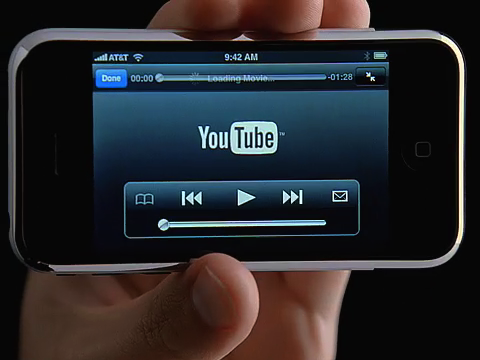
Still, for the first generation of flash player on the iPod Touch, this thing is a total godsend. I assume it won’t be long either before they iron these bugs out, especially with the kind of interest this amazing app is generating.
You can install the flash player plug-in by adding http://d.imobilecinema.com to your Cydia sources and installing from there. You can also learn more by visiting the developer’s blog.

The author likes to write about all things related to apple products