
Charging Cord for iPhone 12: The Complete Guide to Cables, Chargers, and Fast Charging
Apple’s decision to include only a charging cord for iPhone 12 while removing the power adapter from the box sparked widespread confusion and frustration among millions of buyers who unwrapped their expensive new phones expecting complete charging solutions, only to discover they needed to purchase additional hardware or dig through drawers searching for compatible older adapters that might work with the unfamiliar USB-C cable sitting in the minimalist packaging. The iPhone 12 lineup launched in October 2020 represented a watershed moment in smartphone accessories—not only because Apple controversially eliminated the power brick citing environmental concerns while simultaneously introducing new cable types incompatible with most users’ existing adapter collections, but because the shift from traditional USB-A to Lightning cables toward modern USB-C to Lightning configurations fundamentally changed how iPhone owners think about charging infrastructure, fast charging capabilities, and accessory compatibility across their tech ecosystems. Understanding what cord does an iPhone 12 use and what cable do I need for an iPhone 12 requires navigating the distinction between cable ends (USB-C versus Lightning), power adapter requirements (wattage specifications and connector types), charging speed implications (5W crawling versus 20W fast charging), and the broader marketplace of official Apple accessories versus third-party alternatives ranging from premium brands like Anker and Belkin through budget options from AmazonBasics and countless manufacturers flooding online marketplaces with varying quality, certification status, and reliability.
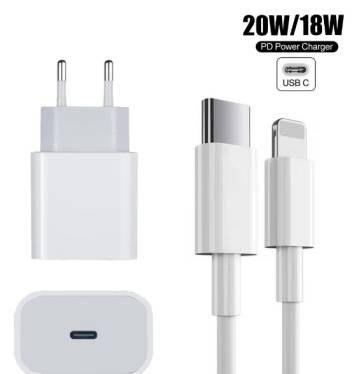
Whether you purchased an iPhone 12, 12 mini, 12 Pro, or 12 Pro Max back in 2020-2021 and need replacement cables after years of wear, inherited a hand-me-down iPhone 12 without proper charging accessories, or simply want to optimize your charging setup with faster options, longer cables for bedside convenience, or durable alternatives resisting the infamous fraying that plagues cheap cables, this comprehensive guide examines every aspect of iPhone 12 charging cords—from technical specifications explaining why Apple chose USB-C to Lightning configuration through practical buying advice identifying the best cables at every price point, from MFi certification importance ensuring safety and compatibility through troubleshooting common charging problems that frustrate users, and from fast charging requirements maximizing the iPhone 12’s 20W charging capability through future-proofing considerations as the iPhone lineup transitions toward universal USB-C ports that will eventually render Lightning cables obsolete. The confusion around is the iPhone 12 a type C cable and what charger is needed for iPhone 12 stems from Apple’s halfway transition—maintaining the Lightning port on the iPhone itself while switching the cable’s power adapter end to USB-C, creating a hybrid accessory situation that satisfied neither users wanting full USB-C adoption nor those preferring continued Lightning cable compatibility with existing adapter collections accumulated over years of iPhone ownership.
What Cord Does an iPhone 12 Use? Understanding the Cable Type
The USB-C to Lightning Cable: iPhone 12’s Standard Charging Cord
What cord does an iPhone 12 use? The iPhone 12 uses a USB-C to Lightning cable, representing a significant departure from the USB-A to Lightning cables that shipped with every iPhone model from iPhone 5 (2012) through iPhone 11 (2019). This cable features a reversible USB-C connector on one end that plugs into modern power adapters, computer ports, and charging accessories, while maintaining the familiar Lightning connector on the opposite end that inserts into the iPhone 12’s charging port at the bottom of the device. The USB-C end measures approximately 8.4mm x 2.6mm in a flat, oval shape with rounded edges and no top-or-bottom orientation requirement—you can insert it either direction without checking alignment, matching the convenient reversibility that made Lightning ports popular when they replaced the old 30-pin dock connectors. The Lightning end maintains the same 6.7mm x 1.5mm dimensions and 8-pin configuration that’s been standard across iPhones since 2012, ensuring the iPhone 12 physically accepts any Lightning cable regardless of what connector type appears on the opposite end.
The strategic reasoning behind Apple’s USB-C adoption on the cable’s power adapter end involves multiple converging factors. USB-C has emerged as the universal standard across modern electronics including MacBooks, iPad Pros, Android smartphones, Nintendo Switch consoles, and countless accessories, creating ecosystem advantages when users can share cables across devices rather than maintaining device-specific cable collections. The USB-C connector supports USB Power Delivery (USB-PD) protocol enabling much higher wattage transmission than older USB-A connectors—critical for fast charging implementations where iPhone 12 can accept up to 20-27W input for rapid battery replenishment. The physical USB-C connector proves more durable than older USB-A designs through reinforced construction and secure connection retention preventing accidental disconnection during charging. Perhaps most significantly, Mac computers had completely transitioned to USB-C ports by 2020, making USB-A to Lightning cables increasingly inconvenient for Mac users who needed dongles or adapters to connect iPhones to their computers without USB-A ports.
However, the partial transition creates significant confusion since Apple maintained the Lightning port on the iPhone 12 itself rather than switching to USB-C like iPad Pro models introduced in 2018. This means is the iPhone 12 a type C cable question has a nuanced answer—the cable is USB-C to Lightning hybrid, but the iPhone 12 port is definitely Lightning, not USB-C. Users cannot plug USB-C to USB-C cables directly into iPhone 12 regardless of how many modern devices and accessories use pure USB-C connections. The iPhone wouldn’t fully adopt USB-C charging ports until the iPhone 15 lineup in September 2023, leaving iPhone 12 (and 13, 14) owners in a transitional limbo where they need USB-C power adapters but still use Lightning phone ports. This decision likely reflected Apple’s massive Lightning accessory ecosystem including hundreds of millions of Lightning headphones, speakers, car chargers, and peripherals that would immediately become obsolete with full USB-C transition, plus the lucrative MFi (Made for iPhone) licensing program generating revenue from third-party accessory makers who pay certification fees to manufacture Lightning-compatible products.
What Cable Do I Need for an iPhone 12? Complete Requirements
What cable do I need for an iPhone 12? You need a USB-C to Lightning cable to take full advantage of iPhone 12’s charging capabilities, though technically any Lightning cable will physically connect and charge the device—the USB-C specification only matters for the power adapter end. The iPhone 12 box includes a 1-meter (3.3 feet) USB-C to Lightning cable from Apple, providing the baseline you need assuming you purchase or already own a compatible USB-C power adapter. However, this single included cable rarely suffices for most users’ multi-location charging needs spanning bedside tables, desks, cars, offices, and travel bags, driving the accessory market for additional cables at various lengths, price points, and quality levels.
The minimum cable specifications for functional iPhone 12 charging include the Lightning connector fitting iPhone 12’s port (universal across all Lightning cables), sufficient wire gauge supporting at least 2.4A current flow for reasonable charging speeds, and basic data transmission capability enabling iTunes sync and photo import when connected to computers. Even the cheapest non-certified cables typically meet these minimum bars, explaining why gas station impulse-buy cables costing $5-10 technically work despite questionable longevity and potential safety concerns. The charging speed achievable depends entirely on the power adapter wattage rather than cable specifications within reasonable parameters—a cheap cable paired with 20W USB-C adapter will charge nearly as fast as Apple’s official cable with identical adapter, though internal resistance differences and connector quality degradation over time may create small speed variations.
The optimal cable specifications for maximizing iPhone 12 charging experience include MFi (Made for iPhone) certification ensuring Apple-approved authentication chips, safety testing, and performance validation, fast charging support handling USB Power Delivery protocol and higher amperage without overheating or voltage drops, durable construction featuring reinforced strain relief at both connector ends preventing the inevitable fraying that kills most cables, adequate length matching your use case whether 1-meter desk charging or 2+ meter bedside convenience, and data transfer speed supporting full USB 2.0 speeds (480 Mbps) for quick photo and video sync when connecting to computers. Premium cables from manufacturers like Anker, Belkin, and UGREEN check all these boxes at $15-30 price points representing excellent value compared to Apple’s official $19-35 cables that sometimes fail prematurely despite brand premium.
The cable compatibility extends beyond iPhone 12 to encompass the entire Lightning ecosystem—any USB-C to Lightning cable works identically with iPhone 11, XS, XR, X, 8, iPad models with Lightning ports, AirPods charging cases with Lightning, and other Lightning accessories. This universal compatibility means cables purchased for iPhone 12 continue serving future devices until Apple fully transitions away from Lightning, which occurred with iPhone 15 in 2023 but leaves vast installed base of Lightning devices requiring cables for years to come. Conversely, older USB-A to Lightning cables from previous iPhones physically connect to iPhone 12 and charge it successfully when paired with older USB-A power adapters, though they can’t deliver fast charging speeds—an important consideration for users asking if they really need new cables or can continue using older accessories accumulated over years of iPhone ownership.
Is the iPhone 12 a Type C Cable? Clearing the Port vs Cable Confusion
Understanding the iPhone 12 Port Type
Is the iPhone 12 a type C cable? This frequently asked question reflects widespread confusion about iPhone 12’s charging architecture, with the accurate answer requiring distinction between the phone’s physical port and the cables used to charge it. The iPhone 12 port remains Lightning—the same proprietary Apple connector used since iPhone 5 in 2012. This means the end of your charging cable that plugs into the iPhone 12 itself must be Lightning, not USB-C, regardless of what connector type appears on the cable’s opposite end. You cannot insert a USB-C connector into an iPhone 12 charging port, nor can you use USB-C to USB-C cables for charging iPhone 12 even though such cables work perfectly for iPad Pros, MacBooks, and Android phones with USB-C ports. The iPhone 12 lineup (including mini, Pro, and Pro Max variants) all feature identical Lightning port specifications measuring 6.7mm x 1.5mm located at the bottom center of the device between the stereo speaker grills.
The confusion source stems from the cable included with iPhone 12 being USB-C to Lightning rather than traditional USB-A to Lightning—users unfamiliar with cable terminology sometimes describe this as “iPhone 12 is Type-C” when they mean the cable has a USB-C end, not that the phone itself features USB-C port. The distinction matters enormously for compatibility understanding: USB-C describes the cable connector that plugs into power adapters and computers, while Lightning describes the phone-side connector. The iPhone 12 charges through Lightning port using cables that may have USB-C, USB-A, or theoretically any connector type on their non-phone end, though USB-C and USB-A represent the only common commercial implementations. This hybrid cable approach maintained Apple’s Lightning ecosystem while embracing modern USB-C charging infrastructure, creating transitional period where iPhone users needed to understand two different connector standards simultaneously.
The practical implications affect everyday charging scenarios and accessory compatibility. If you own USB-C power adapters from MacBooks, iPad Pros, or modern Android phone chargers, you can use them with iPhone 12 provided you have USB-C to Lightning cable—the adapter’s USB-C output port matches the cable’s USB-C input end. However, if you try connecting iPhone 12 directly to these adapters using USB-C to USB-C cables, nothing happens because the iPhone physically cannot accept USB-C connector in its Lightning port. Conversely, if you have drawer full of older USB-A power adapters from previous iPhones or generic phone chargers, you need USB-A to Lightning cables (not included with iPhone 12) to use these adapters, though the charging will be slower than USB-C power adapter combinations. Car chargers, power banks, computer ports, and other charging sources similarly require matching cable types—USB-C ports need USB-C ended cables, USB-A ports need USB-A ended cables, but the phone end always stays Lightning for iPhone 12.
What Charger is Needed for iPhone 12? Power Adapter Requirements
Apple’s Controversial Adapter Removal
What charger is needed for iPhone 12? Apple recommends pairing the included USB-C to Lightning cable with a 20W USB-C power adapter for optimal charging speed, but controversially stopped including power adapters in iPhone 12 boxes—a decision affecting tens of millions of customers who either needed to purchase adapters separately or use existing adapters if compatible. The iPhone 12 box contains only the phone itself, USB-C to Lightning cable (1-meter length), documentation, Apple stickers, and SIM card removal tool. No power adapter, no earbuds, no additional accessories beyond the single cable. This marked dramatic departure from decades of smartphone industry practice where complete charging solutions came standard with every mobile device purchase, with Apple citing environmental benefits from reduced packaging, eliminated e-waste from duplicate adapters, and smaller boxes enabling more efficient shipping reducing carbon emissions.
The criticism and skepticism surrounding Apple’s environmental justification noted the convenient cost savings eliminating $20-30 worth of included accessories while maintaining identical iPhone pricing, the questionable environmental benefit when many users simply purchased separate adapters anyway (in additional packaging with separate shipping), and the inconvenience particularly affecting first-time iPhone buyers or users upgrading from much older iPhones who lacked compatible USB-C adapters. The decision forced users to evaluate existing adapter collections, determine compatibility with new USB-C to Lightning cable, and potentially spend $19-50 on Apple or third-party USB-C adapters to achieve fast charging capabilities. Samsung and other Android manufacturers initially mocked Apple’s adapter removal in marketing campaigns, only to quietly follow suit within 1-2 years eliminating their own included adapters and cables citing similar environmental reasoning—suggesting cost savings proved more significant motivator than genuine sustainability concerns across the industry.
The practical impact for iPhone 12 buyers breaks into several scenarios. Users owning recent MacBooks, iPad Pros, or previous-generation iPhone 11 Pro models already possessed USB-C power adapters compatible with the included USB-C to Lightning cable, enabling immediate fast charging without additional purchases. Users with older iPhones (iPhone 11 and earlier standard models) typically owned only USB-A power adapters requiring either purchasing new USB-C adapter for fast charging or continuing to use existing USB-A adapters with old USB-A to Lightning cables (not included with iPhone 12) for slower charging. First-time iPhone buyers or users upgrading from very old iPhones lacked any compatible charging solution beyond the cable, forcing immediate adapter purchases or seeking borrowed/shared adapters until acquiring proper hardware. This created particularly frustrating unboxing experiences where expensive new phones sat uncharged while owners scrambled to find compatible power sources.
Compatible Power Adapters: Complete Breakdown
The 20W USB-C power adapter represents Apple’s official recommendation for iPhone 12, providing optimal balance between charging speed, heat generation, and battery longevity. Apple sells their 20W USB-C Power Adapter for $19, featuring compact single-port design with folding prongs (US version), worldwide voltage support (100-240V), USB-C port output specifications of 5V⎓3A or 9V⎓2.22A (20W max), and typical Apple minimalist white aesthetic. This adapter paired with USB-C to Lightning cable enables fast charging delivering approximately 50% battery capacity in 30 minutes from completely drained state—substantial improvement over older 5W adapters requiring 90+ minutes for equivalent charge. The 20W rating specifically refers to maximum power delivery capacity measured in watts (volts × amps), with the adapter intelligently negotiating actual delivery with connected devices through USB Power Delivery protocol rather than forcing constant 20W regardless of device needs.
The 18W USB-C adapters from older iPhone 11 Pro models or third-party manufacturers also enable fast charging iPhone 12, delivering slightly slower speeds than 20W adapters but still dramatically faster than ancient 5W bricks. The performance difference between 18W and 20W proves minimal in real-world use—perhaps 2-3 minutes difference for 0-50% charging—making 18W adapters perfectly acceptable if already owned or available at better prices. Higher wattage adapters including 30W, 61W, 87W, or 96W USB-C adapters from Mac laptop chargers work perfectly with iPhone 12, safely charging without damage since USB-PD protocol includes handshake negotiations where devices request only the power they need rather than adapters forcing excessive wattage. The iPhone 12 physically cannot accept more than approximately 20-27W peak charging even when connected to 96W Mac charger, with charging controller inside iPhone limiting input regardless of adapter capability ensuring battery safety and longevity.
The older USB-A power adapters including the ancient 5W cube that shipped with iPhones from 2007-2020 and the slightly better 12W iPad adapters still charge iPhone 12 when paired with USB-A to Lightning cables, though at significantly reduced speeds. The 5W adapter typically requires 3+ hours for full iPhone 12 charge from empty, while 12W iPad adapters reduce this to approximately 2-2.5 hours—both substantially slower than 20W USB-C fast charging completing in 90-120 minutes. These older adapters work fine for overnight charging where speed doesn’t matter, emergency situations when no better option exists, or users genuinely unconcerned with charging speed willing to sacrifice convenience for using existing hardware. However, the charging time difference proves significant enough that most active iPhone 12 users eventually invest in proper fast charging setup rather than tolerating multi-hour charging sessions when modern solutions deliver usable charge in 30-45 minutes.
Types of Charging Cords for iPhone 12: Complete Options
USB-C to Lightning: The Modern Standard
The USB-C to Lightning cable represents the current-generation standard for iPhone 12 charging, combining modern USB-C power adapter compatibility with maintained Lightning device connection. These cables feature the reversible USB-C connector (8.4mm x 2.6mm oval shape) on one end connecting to USB-C power adapters, computer ports, car chargers, and power banks, while the Lightning connector (6.7mm x 1.5mm proprietary Apple design) on opposite end plugs into iPhone 12 charging port. The cable construction typically includes copper wire conductors carrying power and data signals, PVC or TPE jacket providing protection and flexibility, strain relief sections near both connectors reducing stress concentration and preventing wire breakage, and authentication chips (on MFi certified cables) enabling handshake communication with iPhones verifying cable legitimacy.
The specifications important for USB-C to Lightning cable selection include MFi certification guaranteeing Apple authentication chips and meeting safety/performance standards, USB 2.0 data transfer support enabling 480 Mbps sync speeds for photos and videos, power delivery capability handling up to 20-27W charging for iPhone 12 fast charging, adequate wire gauge (typically 24AWG for data lines, 21-18AWG for power lines) minimizing voltage drop over cable length, and connector build quality ensuring secure retention, adequate insertion cycle lifespan (10,000+ insertions for quality connectors), and resistance to bent pins or damage from angled pulling. Premium cables from manufacturers like Anker, Belkin, and UGREEN incorporate these features through rigorous engineering and testing, while cheap alternatives often fail multiple specifications leading to slow charging, connection problems, or premature failure.
The length options for USB-C to Lightning cables span from ultra-compact 0.25-meter (10-inch) keychain cables through standard 1-meter and 2-meter options to extreme 3-meter, 6-meter, or even longer custom lengths. The standard 1-meter length matches Apple’s included cable and serves most desktop charging scenarios, providing adequate reach from desk-mounted power adapters or computer ports to phones resting on desks. The 2-meter length proves immensely popular for bedside charging enabling phone use while plugged in from nightstands several feet from bed, reducing the awkward hunched-over-phone-tethered-to-nightstand posture that shorter cables impose. Longer 3+ meter cables serve large rooms, car back-seat charging, and specialized scenarios, though voltage drop concerns and increased electrical resistance can impact charging speed on extremely long thin cables without adequate wire gauge compensation.
USB-A to Lightning: Legacy Compatibility
The USB-A to Lightning cable maintains relevance for iPhone 12 users despite not being included in the box, providing compatibility with billions of existing USB-A power adapters, computer ports, car chargers, power banks, and accessories accumulated over decades of USB-A dominance in consumer electronics. These cables feature the traditional rectangular USB-A connector (12mm x 4.5mm with specific top-or-bottom orientation) on one end connecting to USB-A sources, while maintaining identical Lightning connector on iPhone end as USB-C to Lightning variants. The primary limitation involves charging speed—USB-A ports typically deliver 5V⎓1A (5W) through 5V⎓2.4A (12W) maximum, far below the 20W+ fast charging capability enabled by USB-C to Lightning combinations, resulting in 2-3x longer charging times for equivalent battery replenishment.
The practical use cases justifying USB-A to Lightning cable purchase for iPhone 12 owners include leveraging existing USB-A power adapter collections avoiding new USB-C adapter purchases, connecting to older computers with only USB-A ports for iTunes sync and photo import, using with car chargers and power banks featuring USB-A outputs, traveling internationally where USB-A adapters prove more universally available than USB-C alternatives, and maintaining backup charging options where speed doesn’t matter like overnight bedside charging. Many iPhone 12 owners maintain both cable types strategically—USB-C to Lightning for fast daytime charging at desk and office, USB-A to Lightning for slow overnight charging, car use, and legacy device compatibility. This dual-cable approach maximizes flexibility across diverse charging scenarios without forcing complete infrastructure replacement.
The cost consideration factors into cable type selection since USB-A to Lightning cables often cost less than USB-C to Lightning equivalents due to mature manufacturing at massive scale and simpler USB-A connector construction compared to more complex reversible USB-C designs. Budget-conscious iPhone 12 users sometimes prioritize spending limited accessories budget on good USB-A to Lightning cable usable with free/borrowed USB-A adapters rather than purchasing expensive USB-C adapter plus USB-C cable combination costing $30-50 total. However, the charging speed sacrifice proves significant enough that most users eventually invest in fast charging capability once experiencing the convenience of 30-minute partial charges versus 2+ hour marathon sessions with USB-A infrastructure.
Wireless Charging: Cable-Free Convenience
Wireless charging options eliminate physical cable connections entirely through electromagnetic induction transferring power from charging pad to receiver coils inside iPhone 12. The iPhone 12 lineup supports two wireless charging standards: Qi wireless charging at up to 7.5W power delivery (universal wireless standard compatible with countless third-party charging pads, car mounts, and furniture with integrated wireless charging), and MagSafe charging at up to 15W power delivery (Apple’s proprietary magnetic alignment system introduced with iPhone 12 using ring of magnets around charging coil ensuring perfect pad-to-phone alignment for optimal efficiency). Both wireless methods require purchasing separate charging pads, stands, or MagSafe accessories since no wireless chargers come included with iPhone 12, though the convenience of simply placing phone on charging surface versus fumbling with cables appeals to many users particularly for bedside and desk applications.
The wireless charging speed substantially trails wired fast charging despite manufacturers’ emphasis on wireless convenience—7.5W Qi charging typically requires 3-4 hours for complete iPhone 12 charge from empty, while 15W MagSafe reduces this to approximately 2.5-3 hours, both significantly slower than 20W USB-C wired charging completing in 90-120 minutes. The slower wireless speed results from inherent inefficiency in electromagnetic induction (typically 70-80% efficiency compared to 90%+ for wired), heat generation requiring reduced power delivery for battery health and safety, and alignment sensitivity where slight pad-to-phone misalignment dramatically reduces charging efficiency. However, wireless charging excels for overnight charging where 8-hour sleep duration provides ample time regardless of charging speed, frequent top-up charging throughout day maintaining battery level without wear from constant cable plugging/unplugging, and aesthetic cleanliness eliminating visible cables from desks and nightstands.
The MagSafe advantage over standard Qi wireless charging includes the magnetic alignment system snapping phone precisely into optimal position on charging pad eliminating the fiddling and repositioning required with Qi pads to activate charging, the doubled 15W maximum power delivery versus 7.5W Qi limitation enabling somewhat faster wireless charging, the accessory ecosystem of MagSafe wallets, battery packs, car mounts, and stands leveraging the magnetic connection beyond just charging, and the satisfying magnetic snap providing tactile confirmation of proper alignment. However, MagSafe accessories cost substantially more than generic Qi alternatives—Apple’s MagSafe Charger costs $39 versus quality Qi pads available for $15-25, with similar premium pricing across MagSafe accessory ecosystem. For iPhone 12 users, the decision between Qi and MagSafe involves balancing budget constraints, desire for maximum wireless speed, and interest in the broader MagSafe accessory compatibility.
Best Charging Cord for iPhone 12: Top Recommendations by Category
Apple Official USB-C to Lightning Cable
The Apple USB-C to Lightning Cable ($19 for 1m, $35 for 2m) represents the guaranteed-compatible option delivering Apple’s quality standards, native iOS integration, and comprehensive warranty support through AppleCare or standard one-year coverage. The cable specifications include MFi certification (obviously, since Apple makes it), USB 2.0 data transfer at 480 Mbps, USB-PD fast charging support up to 20W+, white TPE jacket with Apple’s minimalist aesthetic, and molded strain relief sections at both USB-C and Lightning connector ends. The construction quality generally proves good though not exceptional—many users report Apple cables lasting 12-18 months under normal use before strain relief fails and internal wires begin breaking, though gentle users achieve 2-3+ year lifespans. The cable’s primary advantage involves elimination of compatibility concerns since Apple’s own cable obviously works flawlessly with all iPhone 12 models and iOS versions, plus the widespread availability through Apple Stores, apple.com, and authorized retailers ensuring easy replacement purchases.
The premium pricing relative to third-party alternatives makes Apple cables harder to justify for budget-conscious users who can purchase quality MFi-certified alternatives at $12-18 delivering equivalent or superior performance and durability. However, several scenarios favor Apple cable selection: users preferring guaranteed-genuine Apple accessories eliminating any compatibility or quality concerns, purchasers with AppleCare+ plans potentially covering cable replacement under protection plans, gift-givers wanting safe universal choice that certainly works, and aesthetic purists who prefer Apple’s white cable matching their white iPhone 12 design language and other Apple accessories. The longer 2-meter version at $35 particularly suffers from poor value compared to third-party 2m cables available at $18-25, though convenience of single-vendor purchasing when buying iPhone, case, and accessories simultaneously sometimes justifies the Apple premium.
Anker USB-C to Lightning Cables: Premium Third-Party Choice
Anker’s USB-C to Lightning cable lineup earns universal recommendation from tech reviewers and user communities through combination of MFi certification ensuring iPhone compatibility, exceptional durability outlasting Apple cables by substantial margins, lifetime warranty providing replacement guarantee, and competitive pricing at $13-25 depending on model and length. The Anker 331 USB-C to Lightning Cable represents flagship model featuring braided nylon exterior providing superior abrasion resistance compared to rubber-jacketed alternatives, reinforced stress relief with 15,000+ bend test rating, fast charging support up to 30W (exceeding iPhone 12’s 20W limit), USB 2.0 data transfer, and availability in 1m or 2m lengths plus multiple color options (black, white, red, blue) enabling personalization or color-coding for multi-cable households.
The PowerLine III series represents Anker’s latest generation featuring their strongest construction yet with aramid fiber core providing incredible tensile strength, double-braided nylon exterior, laser-welded connectors, and claimed 35,000+ bend cycle lifespan—approximately 35x the industry average bend test standard. Users consistently report Anker cables lasting 2-4+ years under heavy daily use including frequent car charging, backpack transport causing connector stress, and the inevitable wear from thousands of plug-unplug cycles. The $15-20 typical pricing for premium Anker models compares favorably against Apple’s $19 standard cable, with the substantially longer lifespan creating superior total cost of ownership even when Anker cable costs few dollars more upfront. The lifetime warranty provides additional peace of mind enabling free replacement if cables fail prematurely for any reason—though anecdotal reports suggest Anker honors warranty claims without hassle, simply shipping replacement cables when users contact support.
The Anker Powerline II represents slightly older generation offering similar quality at often-discounted prices around $12-16, maintaining MFi certification and fast charging support while using standard braided nylon construction without the aramid fiber enhancements of PowerLine III. For budget-conscious users seeking quality without absolute premium investment, the PowerLine II series delivers excellent value and reliable performance. Anker’s broad retail presence including Amazon, Best Buy, Walmart, and international availability through Shopee, Tokopedia, and other regional platforms provides easy purchasing worldwide compared to niche brands limited to specific markets or direct-online-only distribution.
UGREEN USB-C to Lightning Cable: Value Champion
The UGREEN USB-C to Lightning Cable earns top value recommendation particularly in Asian markets including Indonesia where the brand enjoys strong presence through Tokopedia, Shopee, and electronics retailers like Erafone and iBox. The cable specifications include full MFi certification with Apple’s C94 Lightning terminal chip ensuring iOS compatibility without “accessory not supported” errors, USB Power Delivery support up to 60W (far exceeding iPhone 12’s needs providing substantial headroom), rubber cable construction balancing flexibility and durability, and availability in extensive length options from ultra-compact 0.25m perfect for power banks and portable charging through standard 0.5m, 1m, 1.5m to extended 2m for bedside convenience—enabling precise length selection matching specific use cases rather than accepting whatever lengths other manufacturers offer.
The pricing competitiveness positions UGREEN as sweet spot between ultra-cheap non-certified cables risking compatibility and safety issues versus premium brands commanding $20+ prices for features many users don’t require. Indonesian market pricing typically ranges Rp 100,000-200,000 ($7-14) depending on length and vendor, substantially undercutting Apple’s official cables while maintaining MFi certification guaranteeing compatibility and safety. The 24-month replacement warranty provided by authorized UGREEN sellers adds confidence for buyers concerned about cheap cable longevity, with many users reporting 18-24 month lifespans under typical use conditions—adequate for the price point though not matching Anker’s extreme durability claims. The cable construction using TPE (thermoplastic elastomer) material provides good flexibility and tangle resistance while maintaining reasonable durability, though the non-braided design shows wear faster than nylon-braided premium alternatives especially near connector strain relief zones.
The market positioning makes UGREEN particularly attractive for Indonesian iPhone 12 users seeking local support, established warranty infrastructure through major e-commerce platforms, competitive pricing reflecting regional market conditions, and multi-cable pack options enabling affordable whole-home charging setup. The brand’s extensive product photography, detailed specifications, and active customer reviews on Tokopedia and Shopee provide confidence for online purchasing versus generic unbranded cables with minimal documentation and questionable certification claims. For users building multi-cable ecosystems spanning bedroom, office, car, and travel bag, UGREEN enables equipping all locations with MFi-certified reliable cables for approximately Rp 500,000-800,000 ($35-55) total investment—dramatically less than equivalent Apple or premium third-party brands costing 2-3x more for comparable coverage.
Cable Length Considerations: Choosing the Right Reach
Standard 1-Meter (3.3 feet) Cables
The 1-meter cable length represents the universal default included with iPhone 12 and matching most standalone cable purchases, providing adequate reach for desk charging from computer ports or wall adapters, nightstand charging when phone rests directly beside charger, car center console charging from dashboard USB ports, and general portable use in backpacks or bags. This length balances several competing factors: sufficient reach for most common scenarios without excessive slack creating tangling problems, optimal electrical characteristics minimizing voltage drop and resistance affecting charging speed, compact portability when coiled or wrapped for travel, and cost efficiency since longer cables require more copper wire and materials increasing manufacturing expense reflected in retail pricing.
The practical limitations emerge during bedside charging when nightstand sits 4-5 feet from bed creating awkward scenarios where users must lean uncomfortably toward nightstand to use phone while charging, or abandon charging temporarily to comfortably hold phone in bed. The desk charging scenario faces similar constraints if computer or power adapter sits under desk or against wall while user sits 3-4 feet away—the 1-meter cable barely reaches, forcing phone placement in specific constrained locations rather than flexible positioning. Car passengers attempting to charge phones from dashboard or console ports while sitting in back seats find 1-meter cables useless, as do families sharing power adapters across living room furniture. These common scenarios drive substantial market demand for longer cable options despite 1-meter remaining the statistical bestseller through inertia of being standard included length that works “well enough” for many users.
2-Meter (6.6 feet) Cables for Convenience
The 2-meter cable length provides dramatically improved flexibility enabling comfortable phone use while charging from nightstands, continued phone operation during charging from distant wall outlets, back-seat car charging from front-console ports, and general “charge-while-using” scenarios that shorter cables constrain. The doubled length compared to standard 1-meter option costs typically only $3-8 additional at retail, creating compelling value proposition for primary bedside cables, living room charging setups, and any location where users regularly use phones while charging rather than simply plugging in and walking away. Many iPhone 12 users adopt strategic cable length distribution: 1-meter cables for desk and office where phones charge unattended, 2-meter cables for bedroom and living areas enabling comfortable phone use during charging sessions.
The charging speed considerations with longer cables prove negligible for quality cables using adequate wire gauge—properly designed 2-meter cables deliver essentially identical charging speed as 1-meter variants since the increased electrical resistance from doubled conductor length remains minimal compared to other charging system resistances. However, cheap cables using thin inadequate wire gauge (28AWG or thinner) sometimes show measurable voltage drop over 2-meter lengths, potentially reducing charging speed by 10-20% compared to shorter quality cables. This emphasizes importance of purchasing quality cables from reputable manufacturers rather than cheapest marketplace offerings, particularly for longer lengths where wire gauge impacts electrical performance more significantly than short cables.
Extra Long Cables (3+ Meters) for Special Scenarios
Extra long cables spanning 3 meters (10 feet), 6 meters (20 feet), or even longer custom lengths serve specialized applications including large bedrooms where nightstands sit far from beds, living rooms with charging stations across room from seating areas, vehicles needing back-row charging from front console or dashboard ports, RV and boat installations, and office cubicles with distant power access. The Bawanfa 6-meter (20-foot) USB-C to Lightning cable represents extreme example providing extraordinary reach for niche applications, though the exceptional length introduces electrical and practical considerations: voltage drop becomes more significant requiring quality thick-gauge wire maintaining charging performance, cable management challenges emerge as 20-foot cables create tripping hazards and tangling problems if not properly routed and secured, and the increased materials costs push pricing to $25-35 range versus $12-20 for standard lengths.
The practical applications genuinely benefiting from extreme lengths include vehicles where rear-seat passengers need charging from front-dashboard ports with standard 1-2m cables falling meters short, home theater setups where charging from distant outlets avoids running cables across traffic paths, hospital or care settings where patients need device charging from outlet locations distant from beds, and outdoor activities using portable power stations positioned away from tents or seating areas. However, most consumer applications prove better served by 2-3 meter cables providing adequate reach without excessive length creating cable management headaches—the sweet spot appears around 2-2.5 meters for typical residential use based on furniture spacing and room layouts common in modern homes.
charging cord for iphone 12 | cable for iphone 12 | iphone 12 charging cable | usb-c to lightning cable iphone 12 | iphone 12 charger cable | lightning cable for iphone 12 | iphone 12 usb c cable | apple iphone 12 cable | fast charging cable iphone 12 | iphone 12 power cable | mfi certified iphone 12 cable | iphone 12 lightning charger cord | 20w iphone 12 charging cable | usb c lightning cable apple | iphone 12 data cable | braided iphone 12 cable | durable lightning cable | iphone 12 replacement cable | long iphone 12 charging cord
MFi Certification: Why It Matters for iPhone 12 Cables
Understanding Apple’s MFi Program
MFi certification (Made for iPhone/iPad/iPod) represents Apple’s official accessory authentication program requiring third-party manufacturers to incorporate Apple-provided authentication chips inside Lightning connectors, submit products for testing and validation, meet strict quality and safety standards, and pay licensing fees for the privilege of advertising MFi compatibility. The program launched in 2005 for iPod accessories expanded to cover iPhones and iPads in subsequent years, becoming critical quality indicator for Lightning cables introduced in 2012. MFi-certified cables contain Apple’s authentication IC (integrated circuit) inside the Lightning connector housing, enabling bidirectional communication with iPhones during connection where the phone interrogates the cable’s chip verifying authenticity, and the cable confirms compatibility enabling charging and data transfer.
The certification requirements enforced by Apple include electrical safety testing ensuring cables handle appropriate current without overheating or fire risk, mechanical durability testing verifying connector insertion cycle lifespan and cable flex resistance, electromagnetic compatibility (EMC) ensuring cables don’t generate interference affecting iPhone radios or other electronics, materials testing confirming cable jackets and connectors use non-toxic materials meeting consumer safety regulations, and performance validation demonstrating proper data transfer speeds and charging capabilities. Manufacturers must submit cable samples to Apple’s testing facilities, pay initial certification fees ($4,000+), and pay per-unit royalties (estimated $3-4 per cable) for each MFi-certified cable sold. These costs explain why MFi-certified cables typically cost $10-15 minimum while non-certified alternatives appear at $3-8 price points—the certification expenses must be recovered through retail pricing.
The authentication handshake between iPhone 12 and connected cables occurs within milliseconds of connection, with the phone’s Lightning controller chip interrogating the cable’s MFi chip requesting authentication credentials and capability information. Genuine MFi cables respond with proper encrypted authentication codes Apple’s chip recognizes as valid, enabling full charging and data transfer functionality. Non-certified cables either contain no authentication chip (failing handshake immediately) or use counterfeit cloned chips attempting to mimic genuine Apple authentication. While some counterfeit chips successfully fool older iOS versions, Apple regularly updates iOS authentication protocols through software updates deliberately blocking known counterfeit chip signatures—explaining why non-certified cables sometimes work initially but fail after iOS updates with dreaded “This accessory may not be supported” error message appearing repeatedly.
Risks of Non-MFi Certified Cables
Non-certified cables lacking genuine Apple authentication chips create multiple potential problems ranging from minor annoyances to serious safety hazards. The most common issue involves iOS displaying “This accessory may not be supported” or “This accessory is not supported by this device” error messages repeatedly during charging attempts, sometimes allowing charging to proceed despite warnings, other times completely blocking charging functionality forcing cable disconnection and reconnection hoping for temporary success. These errors frustrate users who must babysit charging sessions monitoring for disconnection, disable iOS features like “Optimized Battery Charging” that conflict with unreliable cable authentication, or eventually abandon problematic cables purchasing proper certified replacements.
The charging speed inconsistency plagues non-certified cables through inadequate current-handling capability, excessive internal resistance causing voltage drop, poor connector contact quality creating intermittent connections, and lack of proper Power Delivery protocol implementation limiting charging to slowest baseline modes. Users frequently report non-certified cables charging dramatically slower than certified alternatives—what should require 30 minutes for 50% charge instead takes 60-90 minutes, or charging simply stops randomly requiring reconnection. The data transfer reliability suffers similarly with iTunes sync failures, photo import interruptions, backup corruption, and complete failure to establish data connections despite iPhone recognizing cable for charging purposes.
The safety hazards represent most serious concern with non-certified cables, as inadequate electrical engineering and cheap materials create fire risk, electrical shock potential, and iPhone damage possibilities. Reports document non-certified cables overheating during charging causing plastic melting, cable fires, burn marks on furniture and walls where cables contacted surfaces, and damaged iPhone charging ports from electrical surges or short circuits. The inferior copper wire gauge, inadequate insulation, substandard connector materials, and lack of proper overcurrent protection in cheap cables creates dangerous conditions particularly during fast charging when higher power transfer generates more heat. While catastrophic failures remain relatively rare, the cumulative risk over years of daily charging makes certified cables essential safety investment rather than optional quality enhancement.
Fast Charging for iPhone 12: Maximizing Charging Speed
Fast Charging Requirements and Performance
Fast charging capability on iPhone 12 requires meeting specific hardware requirements: USB-C to Lightning cable (USB-A to Lightning cables cannot enable fast charging regardless of adapter wattage), power adapter rated 18W or higher with USB-C output port supporting USB Power Delivery protocol, and iOS 12 or later (pre-installed on iPhone 12). When these requirements are met, iPhone 12 can accept approximately 20-27W peak power input during initial charging phase from 0-50% battery capacity, reducing to lower wattage as battery approaches full capacity due to lithium-ion charging characteristics requiring reduced current in final charging stages preventing overheating and preserving battery longevity.
The charging speed curve follows predictable pattern: 0-50% charging completes in approximately 25-35 minutes with 20W USB-C adapter, representing “fast charging” phase where iPhone accepts maximum power input and battery charges rapidly. The 50-80% phase slows considerably requiring additional 30-40 minutes as charging controller reduces input power protecting battery from heat damage and extending cycle life. The final 80-100% phase trickles even slower requiring 30-45 minutes for the last 20% capacity, with iPhone deliberately limiting charging speed through “Optimized Battery Charging” feature learning usage patterns and holding charge at 80% until shortly before typical wake time reducing battery aging from sustained high charge states.
The real-world charging times for complete 0-100% iPhone 12 charge span 90-120 minutes with 20W USB-C fast charging setup, compared to 180-240 minutes with traditional 5W USB-A charging—representing approximately 2x charging speed improvement justifying the USB-C infrastructure investment for users valuing quick top-ups. However, the most significant practical benefit involves the rapid 0-50% charging enabling 30-minute emergency charging sessions providing half-day battery life during rushed mornings, forgotten overnight charging, or pre-departure panic charges before trips. This “quick top-up” use case differentiates fast charging value proposition from overnight charging where 8-hour sleep duration provides ample time regardless of charging speed.
Optimizing Fast Charging Performance
Cable quality directly impacts fast charging speed through electrical resistance, connector contact quality, and protocol implementation. Poor quality cables introduce voltage drop reducing actual power delivered to iPhone—a 20W adapter might deliver only 15-17W through cheap cable with inadequate wire gauge and poor connectors, extending 0-50% charging from 30 minutes to 40-45 minutes. The quality MFi-certified cables from Anker, Belkin, or Apple maintain minimal resistance enabling full adapter power reaching iPhone with negligible loss. Users noticing slower-than-expected fast charging despite proper adapter should test different cables confirming cable quality isn’t limiting performance.
Temperature management affects charging speed significantly since iPhone’s thermal protection systems reduce charging power when internal temperature exceeds safe thresholds. Charging in hot environments (direct sunlight, car dashboard in summer, near heating vents), using phone intensively during charging generating processor heat, or using thick protective cases trapping heat all slow charging by triggering thermal throttling. Optimal fast charging occurs in moderate temperature environments (20-25°C/68-77°F), with phone screen-off and idle minimizing internal heat generation, and removing thick cases improving heat dissipation during charging sessions where maximum speed matters.
iOS settings optimization includes disabling “Optimized Battery Charging” (Settings > Battery > Battery Health) when immediate 100% charge is required rather than waiting for iOS learning algorithm determining appropriate charging schedule, enabling “Airplane Mode” during charging reducing background activity and radio power consumption enabling slightly faster charging, and force-quitting unnecessary apps preventing background processing generating heat and consuming power competing with charging input. However, these optimizations provide marginal 5-10% speed improvements rather than dramatic differences, with proper cable and adapter selection proving far more impactful than software tweaking.
Troubleshooting iPhone 12 Charging Issues
Common Charging Problems and Solutions
“This accessory may not be supported” errors plague iPhone 12 users attempting to use non-certified cables or cables with damaged authentication chips. The immediate solution involves verifying cable MFi certification through manufacturer website or packaging inspection, replacing non-certified cables with proper certified alternatives, or cleaning Lightning connector contacts on both cable and iPhone port removing debris potentially interfering with authentication communication. Some users report temporary success disconnecting cable, restarting iPhone, then reconnecting allowing fresh authentication attempt, though this workaround only masks underlying cable certification problems rather than solving root cause.
Slow charging despite fast charger frustrates users who invested in 20W USB-C adapters but experience charging speeds matching older 5W setups. The diagnostic process involves verifying complete fast charging chain: confirming adapter truly delivers 18W+ through USB-C port (some multi-port chargers deliver fast charging only from specific ports), ensuring cable is USB-C to Lightning rather than USB-A to Lightning, testing different cables eliminating poor cable quality as limiting factor, checking iPhone Lightning port for debris or damage preventing proper connection, verifying iOS version supports fast charging (iOS 12+), and monitoring iPhone temperature ensuring thermal throttling isn’t limiting charging speed. Systematic component testing isolates problematic element enabling targeted replacement rather than guessing which hardware component fails.
Intermittent charging connection where iPhone repeatedly connects and disconnects during charging, causing annoying notification sounds and preventing reliable overnight charging, typically indicates Lightning port contamination with pocket lint, dust, or debris. The cleaning solution involves carefully using wooden toothpick, plastic dental pick, or anti-static brush to gently remove accumulated material from Lightning port, avoiding metal tools that risk shorting contacts or scratching gold plating. Compressed air helps dislodge loose debris, though excessive pressure risks pushing material deeper into port. Users consistently report dramatic improvement after proper port cleaning revealing surprising quantities of accumulated lint even in relatively new iPhones.
When to Replace Cables vs Repair Devices
Cable replacement indicators include visible physical damage such as fraying near connectors, exposed internal wires, cracked or bent connector housings, discolored insulation from heat damage, or complete connector separation from cable. Less obvious failure signs include consistent “accessory not supported” errors that persist across multiple iPhones indicating authentication chip failure, measurably slow charging compared to other cables with identical adapters suggesting internal resistance increase from wire breakage, intermittent charging requiring specific cable positioning suggesting internal wire damage, and data transfer failures despite charging working indicating damaged data lines while power lines remain functional. Cables exhibiting these symptoms warrant replacement rather than troubleshooting attempts since internal damage proves irreparable.
iPhone port repair becomes necessary when multiple known-good cables fail consistently on single iPhone, charging works only in specific cable orientations suggesting damaged port retention mechanism or misaligned pins, visible physical damage appears inside Lightning port including bent pins or broken plastic retention tabs, or foreign objects become lodged in port beyond DIY removal capability. The Apple Store or authorized service providers perform port cleaning free of charge and assess whether port replacement or logic board repair is necessary for actual hardware damage. The out-of-warranty charging port repair typically costs $99-149 at Apple Store depending on iPhone model, though third-party repair shops offer services at $40-80 price points trading warranty coverage for cost savings.

Editor-in-chief in charge of reviewing an article before it is published on applerepo.com