
How to Download Free Music for iPod Touch
How to Download Free Music for iPod Touch – Are you a music lover? If so, you might already heard about iPod Touch, aren’t you?
iPod Touch, or the iTouch, is one of the best gadget companion for people who really love to listen to music everyday! It is not surprising that Apple Inc., its manufacturer, was able to sold about 60 million units of iTouch as of March 2011.
In this post, allow me to share to you techniques about free music downloads for iPod Touch.
First all, I would really not recommend that you, as an iPod Touch user, to download music illegally. In case you don’t know, there are several risks that await you once you download music in illegal means. Downloading illegal music may bring you into court action, which will make you pay hundreds of dollars or much worst, imprisonment. Remember the lawsuit filed by the Recording Industry Association of America (RIAA) against Napster? Napster an online database of shared music was sued by RIAA because of copyright infringement issues. RIAA, in behalf of music artists, continued to close illegal music sharing sites following the Napster issue.
See, how much trouble you can get from illegal download of music? I don’t think you want to experience such problem. As promised, I will now share to you how to download free music for your iPod Touch.
Make sure your iPod Touch is fully charged so that the downloading of the files will not be interrupted.
Actually, there are a couple of options you can choose from with regards to free music downloads for iPod Touch. Here is the first option.
Download Free Music for iPod Touch Through Cydia/Music Meow
Cydia is an open source software which will provide opportunities to iPod touch users in downloading software packages, ringtones, themes, and many more.
Be sure that Cydia is installed in your iPod Touch. Check next link to know how to install cydia.
Assuming that you are in a Wi-Fi hotspot or you are already connected to the internet, launch Cydia.
Once the application is loaded, go to the SEARCH button at the bottom right of your device.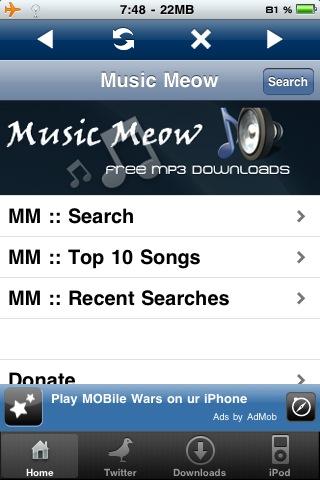
Type in the keyword Music Meow in the search bar.
Once you find the Music Meow application, install it on your iPod Touch.
Launch Music Meow once it is installed in the system.
In the search bar, enter the title of the song you wanted to download.
If you find it already, select it and choose Download.
Once the song is downloaded, you can play it back.
Downloading Music Through iTunes
The first thing you need to assure in downloading free music from iTunes is to be connected to the internet. In other words, find a Wi-Fi hotspot and be ready to download the music of your like.
Open the iTunes application and head to the iTunes store.
If you can see the words “Free on iTunes,” head over it and choose Select All. You usually see this one at the bottom of your iPhone Touch.
Mark the songs you want to download and tap the “Download” button afterwards to get free music for ipod touch, and its 100% Legal. So the most recommended place to get free music is come from itunes.
Downloading Music Through Safari
Open the Safari browser in your device.
Visit the following websites:
NME’s Daily Download at http://www.nme.com/blog/index.php?blog=122
RCRD LBL at http://rcrdlbl.com/
Fingertips at http://www.fingertipsmusic.com/
Search on the songs you wanted and click Save As. Choose the destination folder and play the song once the download is already finished.
Enjoy!

Editor-in-chief in charge of reviewing an article before it is published on applerepo.com