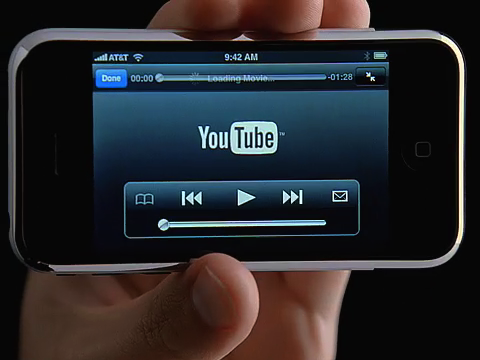
There are tens of thousands of good videos in the popular online video site – Youtube.com. Most of them are copyright protected and legally you can’t watch them of any other third party device. YouTube encodes its video with Macromedia Flash encoder, which restricts the viewer from downloading and making copies of it. But with some little effort you can download and watch them on your iPod. All you need is the iPod you have, iTunes (6 or later version), good internet connection, your web browser should be installed with Flash player plug-in and Quick Time Pro.

First select the YouTube video you want to add into your iPod. Let is fully downloaded into your PC. Once it is cached in the RAM completely, you are ready to add it into your iPod.

Then it’s time to find the downloaded file from the cache memory. There are numbers of software that will search the hard disk for FLV files for you. You can find them easily in the internet.

Now install Quicktime Pro in your computer. You can either download the free trial version or you may get the professional version from the internet paying only 25-30 dollars. You can directly convert the FLV file to iPod compatible MPEG-4 or H.264 version.

Apart from Quicktime Pro, there are other software that can convert the YouTube video formats directly to the iPod compatible format. I don’t have any intention to endorse any product, so it will be better not to mention any of them. But while reviewing these software, you should expect direct conversion facility (as you can not save the YouTube video files in your hard disk), the easy to use user’s interface, previewing mode, batch conversion facility, multithreading and merger facility. They should also contain options for customization of the video settings.

Related Articles:
+iPod Movie Downloads
+Using iPod Video Converter
+ Free iPod Video Converter

Share and Enjoy: These icons link to social bookmarking sites where readers can share and discover new web pages.
  • bodytext
  • Sphinn
  • del.icio.us
  • Facebook
  • Mixx
  • Google
  • Bumpzee
  • Propeller
  • StumbleUpon
  • Technorati
  • YahooMyWeb

7 Comments so far »

  1. by Alex, on July 12 2008 @ 4:58 am


    I using this service http://tubezoid.com

  2. by AppleIpod, on July 12 2008 @ 5:09 am


    Thank alex for your information, but please explain me more detail how could you use that site to add youtube videos to ipod touch?I just checked that site, and that site only use to download, upload or view videos.

  3. by windbell, on July 14 2008 @ 11:46 pm


    Tks, and here is another detailed guide on how to download free youtube video to ipod with two ways
    http://www.aimersoft.com/video-converter.html

  4. by Lynn LU, on December 16 2008 @ 3:46 am


    I have add the videos to my iPod.
    Firstly,I download videos from YouTube ,I used this freeware:Free YouTube Downloader for Mac(http://www.all-mytube.com/free-mac-youtube-downloader.html).
    And then ,I convert the videos to the formats that can be played on iPod,I used a cool software:Video Converter for Mac(http://www.aimersoft-mac.com/video-converter-mac.html#129).

  5. by Lynn LU, on December 16 2008 @ 3:47 am


    I have add the videos to my iPod.
    Firstly,I download videos from YouTube ,I used this freeware:Free YouTube Downloader for Mac(
    http://www.all-mytube.com/free-mac-youtube-downloader.html ).
    And then ,I convert the videos to the formats that can be played on iPod,I used a cool software:Video Converter for Mac( http://www.aimersoft-mac.com/video-converter-mac.html#129 ).

  6. by Oliver King, on December 28 2008 @ 7:29 am


    Video Download Capture is the best videos download tool to help you download online videos and download music videos; the most powerful video download search engine will help you get any video as you want. It’s also a great tool to download free videos. The built-in video editing tool will help you crop, trim, convert videos to any format and size. Get videos for your iPod, iTunes, iPhone, PowerPoint presentation, and PSP etc. If want to capture any online videos such as YouTube, Dailymotion, Google Video, Megavideo, iMeem, MySpace, and Yahoo etc, Video Download Capture is just for you.

  7. by Oliver King, on December 28 2008 @ 7:30 am


    Video Download Capture is the best videos download tool to help you download online videos and download music videos; the most powerful video download search engine will help you get any video as you want. It’s also a great tool to download free videos. The built-in video editing tool will help you crop, trim, convert videos to any format and size. Get videos for your iPod, iTunes, iPhone, PowerPoint presentation, and PSP etc. If want to capture any online videos such as YouTube, Dailymotion, Google Video, Megavideo, iMeem, MySpace, and Yahoo etc, Video Download Capture is just for you.

Comment RSS · TrackBack URI

Leave a comment

Name: (Required)

eMail: (Required)

Website:

Comment:


About Author

Get Many iPod Touch Tips in this AppleRepo.Com Blog. And Please note That AppleRepo.Com Blog is independent Blog which talk about Ipod and iPod touch tips and tricks and Not affiliated with Apple.com

Resources