
Fixing 0xE8000065 Error Problem
How to fix 0xE8000065 Error Problem?. Sometimes, our iOS device will experience unknown errors. These errors are kinda tricky, don’t you think? Because usually, when they happen, we are caught by surprise and we do not even know what caused them in the first place. One of these errors is the 0xE8000065 error. Are you bugged by it? It could be discovered by syncing your iOS device to your iTunes and it would not sync. Instead it’s going to notify you of the oxe8000015 error.
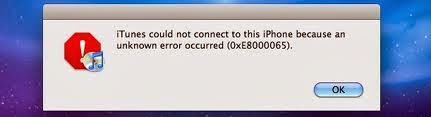
0xE8000065 Error Fix
Please check this video to guide you to fix this iTunes Error oxe8000015 problem:
How can you go around this 0xE8000065 error? Don’t worry, because even if it looks weird and all, you don’t need to restore your device yet. We are going to solve the oxe8000015 error on itunes problem in two steps. First, let’s remove its effect on your iOS device. Usually when this error happens, there’s going to be black screen with a white swirling loading image at the middle. It’s not going to respond, hence let’s remove that first. It could be done by a hard reset. The hard reset could be done by holding down the Sleep/Wake button and the Home button at the same time for about 10 seconds. Your device is going to reboot.
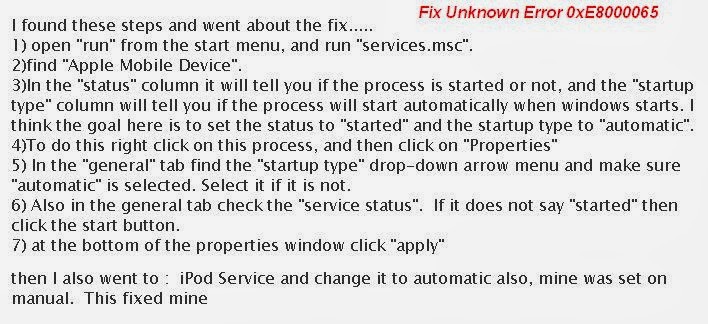
Next, we’re going to deal with the iTunes. Regardless of the computer, just try to follow these steps. The first thing to do is to disconnect your gadgets from your computer and form iTunes of course. After disconnecting it, close iTunes as well. Open “Computer” or “My Computer” from your Start menu. Through your Folder Options (which could be found in Tools, Organize, or somewhere else depending on your computer), activate the option that is going to allow you to see the hidden folders of your computer. Search for Apple’s folder on your computer next. This could be found under C:Documents and SettingsAll UsersApplication DataApple, or somewhere else, again depending on the computer you’re using. There, locate the “Lockdown” folder. Place the folder in the Recycle Bin.
This is the time to check your iOS again. iTunes 0xE8000065 Error Problem solved!

Editor-in-chief in charge of reviewing an article before it is published on applerepo.com